Forwarding aliases: keep receiving mail without exposing your real address
A temp inbox is great when you're done in minutes, but newsletters, online stores, and forum accounts need an address that keeps working. A forwarding alias is that middle layer: a site only ever sees alias@foxtemp.com, while the mail quietly lands in your real inbox — cut the cord by deleting the alias, and your real address is never touched.
A code emailed to you is your password — no password to set. Up to 100 aliases per account.
One relay layer that separates "the address" from "you"
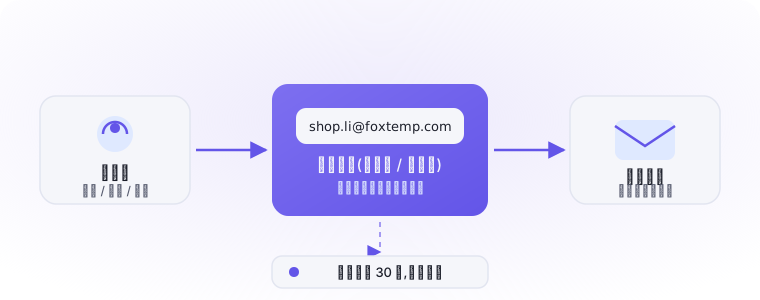
Senders only ever know the alias; Foxtemp handles filtering and forwarding; your real inbox stays at the far end of the chain and never appears on a sign-up form.
More than forwarding — a controllable anonymous-mail setup
An alias isn't just a redirect. Every one comes with its own toggle, stats, and archive, so you always know who's emailing you and what they sent.
100 aliases, one per purpose
Type a custom prefix (letter first, 3–30 characters), one-click generate a natural-looking one, or leave it blank and let the system assign it. Give shopping, newsletters, and forums each their own — the source is always obvious.
Auto-forwarding + a 30-day archive
Mail forwards to your real inbox within seconds, while a copy stays in the online archive for 30 days — even if you accidentally delete it in your real inbox, you can dig it back up in the console.
Spam showing up? Pause it in one click
If an alias starts collecting promotional junk, it's been sold on. Pause it and incoming mail is dropped instantly; delete it once you're sure you don't need it — every other account stays untouched.
Blocked spam stays transparent
A blocked message doesn't just vanish — the archive shows the reason and score behind every block, so a false positive is one click away from "mark as not spam" and normal delivery for that sender going forward.
Attachments are welcome too
Messages up to 50MB total forward with attachments intact and stay downloadable in the archive; 50–100MB still forwards but the archive keeps text only; anything over 100MB is rejected.
Passwordless sign-in + 2FA
A code emailed to you is your password, and the session stays signed in for 7 days. If you're worried about the inbox itself being targeted, enable TOTP two-factor authentication for an extra layer on the console.
From sign-up to shut-off: the life of one alias
Day 1 · Create
You want to subscribe to a newsletter but don't want to hand over your main inbox. Sign into the console, create news.pick@foxtemp.com, done in 10 seconds.
Days 1–90 · Quiet forwarding
Every weekly issue lands in your real inbox on schedule, reading exactly like a direct subscription; the console shows a running count of how much this alias has forwarded.
Day 91 · Something's off
Out of nowhere, this alias starts collecting strange promotional mail — the newsletter operator leaked or sold the list. Because only that one sender ever knew this alias, the leak is instantly traceable.
Day 91 + 1 minute · Cut it off
Pause it in the console and the spam stops cold; spin up a fresh alias to resubscribe elsewhere. Your real inbox was never exposed and never had to move.
Attachment tiers and the four mail statuses
Forwarding isn't a black box. Every message is sized, tiered, and filed by status — what you see in the console is the whole story.
Size is body plus attachments combined; this rule is enforced server-side and applies to every alias equally.
Forwarded
Successfully delivered to your real inbox, archived for 30 days.
Blocked
Flagged as spam and not forwarded; open the details for the reason, and correct a false positive with one click.
Forward failed
Delivery to your real inbox errored out (e.g. the receiving server briefly rejected it) — retry from the message detail.
Pending
Just arrived and is being filtered and queued for delivery, usually settling into a final status within seconds.
When should you use an alias instead of the temp inbox?
Need a one-off address instead? Grab a 10 minute mail on the homepage →
Your first alias can be live in under a minute
Enter your email, verify the code, hit create — three steps later you have an anonymous address you can hand to any website. Completely free, no password required.